
Restaurant POS software development looks, from a spec, like a shopping cart with a seating chart. It is not. It is a distributed system with several clients that all believe they are authoritative, a kitchen that cannot be told to retry, money in a physical drawer that a human has to answer for at midnight, and a revenue authority with an opinion about your invoice numbers. We built one, Ferculon: one network across the waiter, the kitchen, the counter and the guest, ingredient-level stock and wastage behind every dish, and AI reading the restaurant’s own figures. It runs real services in Mauritius today. These are the constraints that decide the architecture, and which of them have to be settled before anyone draws a screen.
One order, four channels, one kitchen
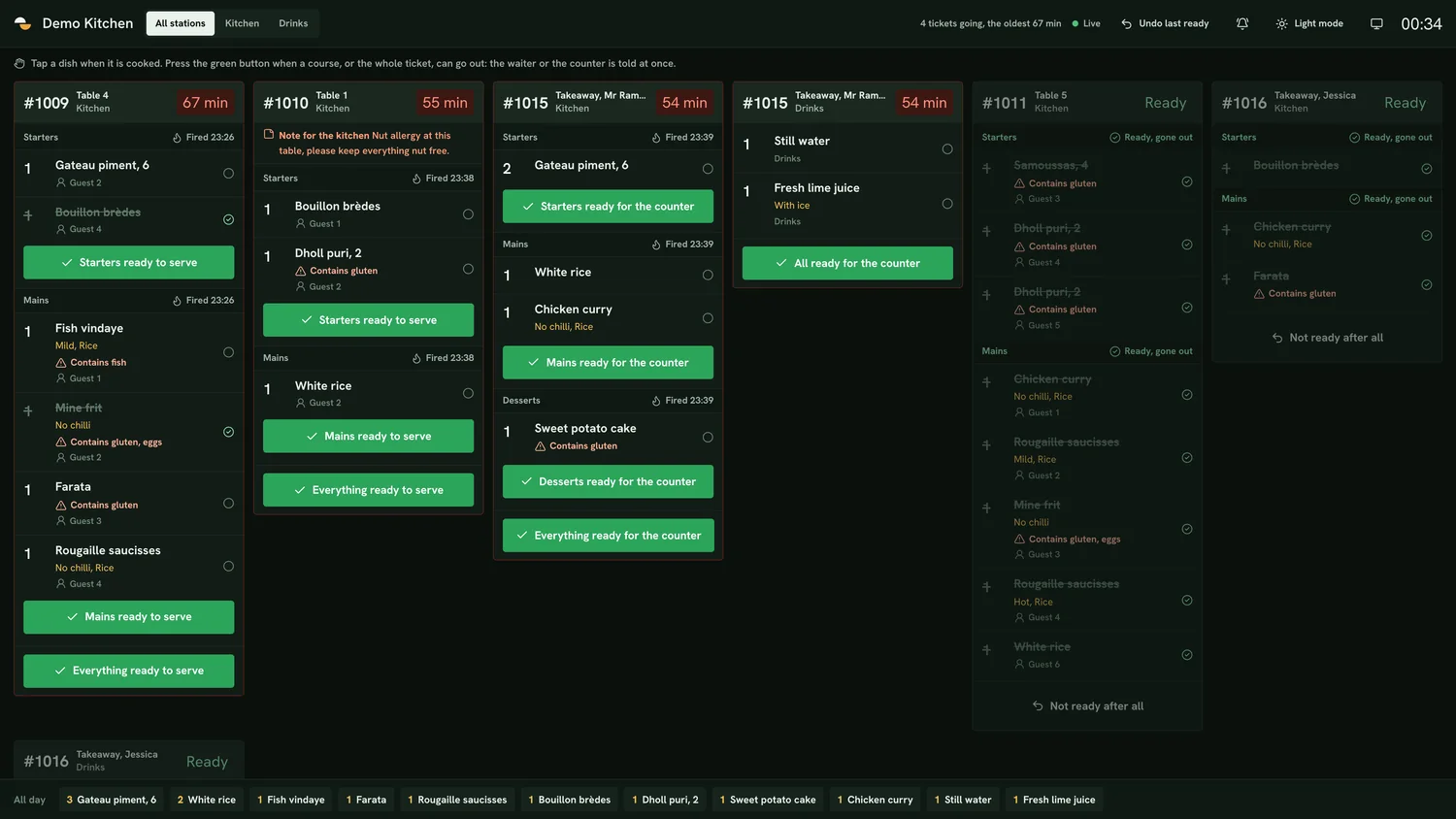
A restaurant takes the same order from four places: a waiter at the table, a guest scanning a QR code at that same table, the counter taking a takeaway, and an online page taking a delivery. The naive build gives each channel its own flow and reconciles later. That is the bug factory. The guest scanning the code at table four has to land on the bill the waiter already has open, and the kitchen has to see one ticket, not two.
So the order is the aggregate and everything else is a writer to it. Channel is an attribute of a line, not a separate entity. The practical consequences are immediate: identity for the guest at the table has to be cheap (a mobile number confirmed by a code, not an account), item mutation after a course is sent has to be restricted to staff, and every write has to carry who made it, because that is what the audit log reads later.
Offline is a product decision before it is an engineering one
Every POS vendor says it works offline. Very few say what that means, and the honest answers differ enormously in cost. There are three broadly different products hiding behind the word.
| Offline behaviour | What the staff can do | What it costs to build |
|---|---|---|
| Last view cached | Read the floor, the open orders and the tickets as they were; clock in and out | Low. A cache and a sync queue for a short list of actions |
| Queued writes | Take new orders and payments, which replay when the link returns | High. Conflict resolution, duplicate suppression and a story for what happens when two devices queue the same table |
| Full local authority | Run the whole service from the device, cloud is a replica | Very high. You are now maintaining a distributed database and its merge rules |
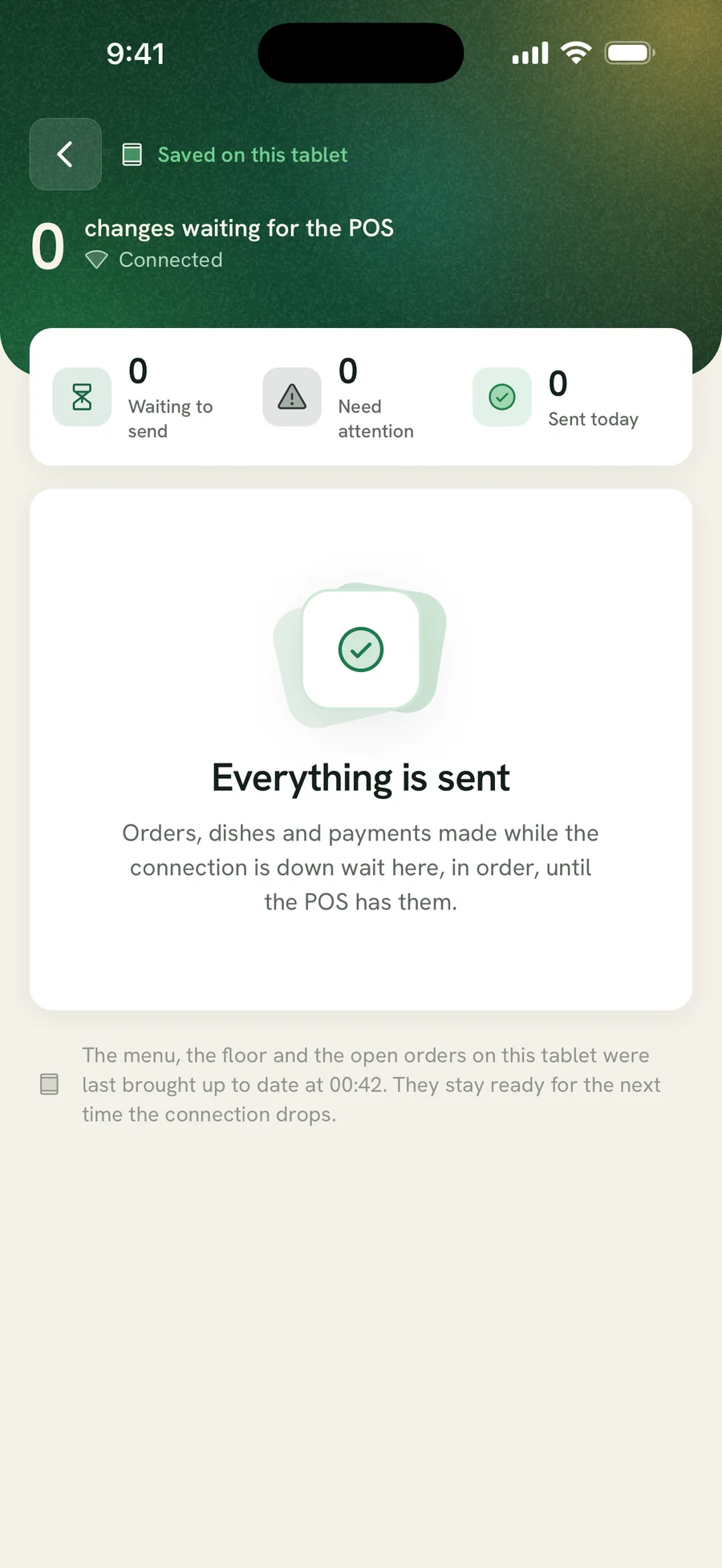
We shipped the first of those deliberately, and it was the right call. Each screen keeps showing its last view while the connection is down, staff can still clock in and out, and everything syncs when it returns. It is a promise we keep on a bad night, which is more than most vendors can say of theirs. The real cost of the middle option is not the queue; it is the morning a manager asks which of two conflicting payments on table five is the real one, and the system cannot answer.
The cash drawer is an accounting system, not a UI
The part of a POS that gets built last and causes the most arguments is the till. Someone opens a shift with a float, money comes in by several methods, some goes out as pay-outs, some is dropped to a safe, a rider hands in what they collected at the door, and at the end a human counts a drawer and the number does not match. The system has to make that discrepancy legible rather than hide it.
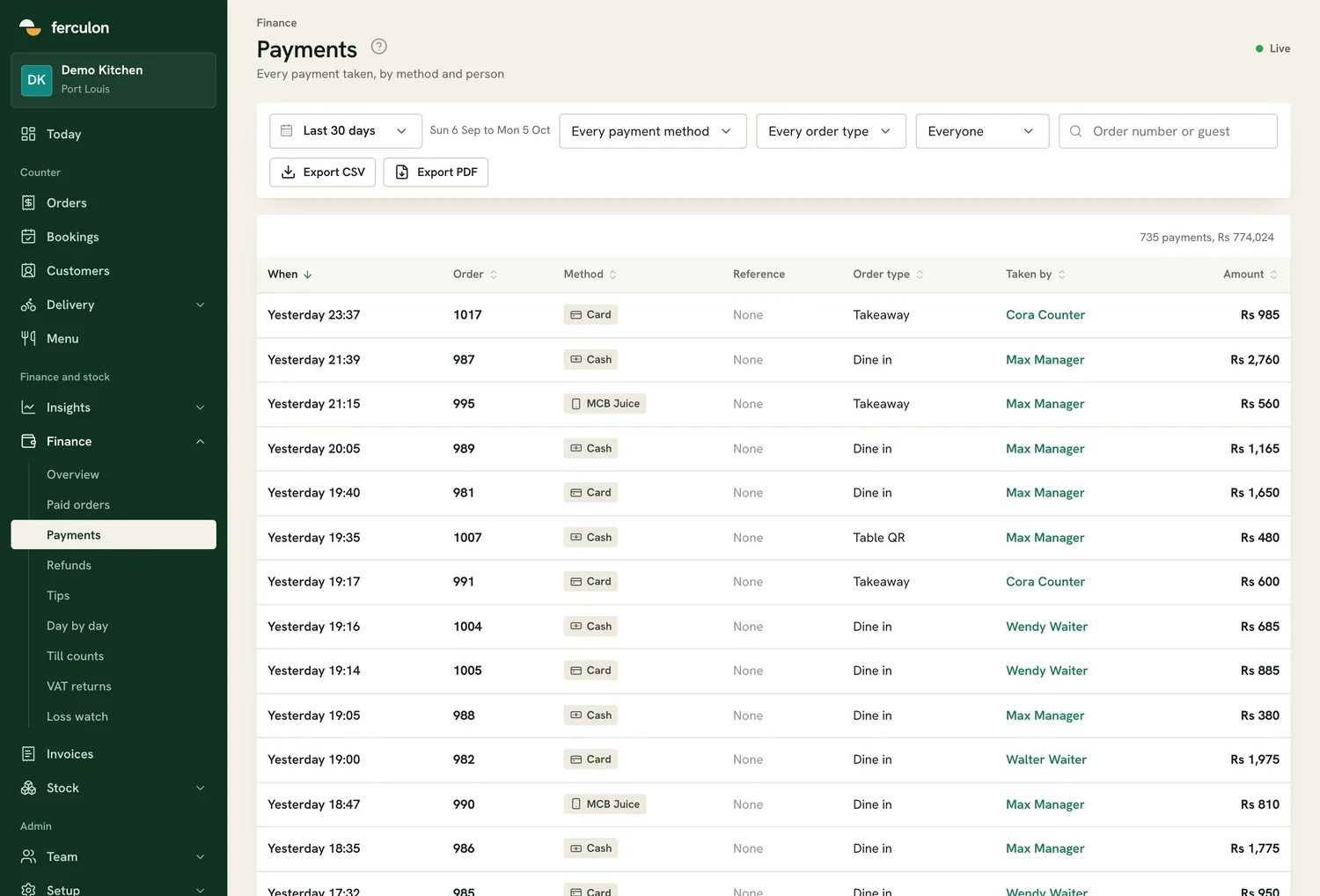
- Every movement is an event with an actor. Float, sale, pay-out, drop, rider hand-in, refund, no-sale drawer opening. A balance you cannot derive from events is a balance nobody will trust.
- A void after the kitchen has started is not a deleted line. It is an event with a reason and an approver, and it belongs in the same log as the discount and the refund.
- Wallet payments need a reference field. In Mauritius a transfer through MCB Juice or another wallet reconciles against the bank only if staff record the reference at the moment of payment. A free-text note is not a reference.
- Count blind or do not bother. If the closing screen shows the expected figure before the count, you have built a form that confirms itself.
Tax is not a reporting feature
Tax rules reach into the order model, which is why bolting them on later hurts. Two from the market we built for, both of which should be read in their current form rather than taken from this page.
First, the order has to keep the tax rules it was priced under. A restaurant changes its VAT setting, or its rate changes, and every historical order must still total the way it did on the night. That means a pricing snapshot per order, not a live lookup against a settings table. In Mauritius the standard rate is 15 per cent and registration becomes compulsory once annual turnover of taxable supplies exceeds Rs 3 million, a threshold that came down from Rs 6 million on 1 October 2025, so a large number of small restaurants crossed into VAT recently and will have historical orders on both sides of the change.
Second, fiscal invoicing changes your primary key. The Mauritius Revenue Authority is phasing in e-invoicing by turnover, and a registered Electronic Billing System has to transmit each invoice as it is issued, print the reference it receives, and carry a non-resettable sequential invoice number that is separate from your order reference. If your order number is your invoice number, you have a migration ahead of you. Fiscalisation is on our roadmap rather than in the product, and we say so up front rather than hiding behind the phrase "MRA ready" that several vendors use. The thresholds and what a registered system has to do are set out separately.
Stock is a second write path, and most builds forget it
Sending an order to the kitchen is not one write. It is two: the ticket, and the ingredients that just left the shelf. If recipes deplete stock on send, you get theoretical usage for free and the restaurant can finally compare it against a physical count. If they do not, you have built a till with charts.
The model that works is ingredients with purchase units and recipe units, suppliers with pack sizes and lead times, recipes per dish, and three kinds of movement: counts, deliveries and waste. Wastage in particular has to be a first-class event with an item and a reason, not a note, because the whole point is to see the pattern by Friday. Once those exist, a prep plan falls out of the same data: what the same weekday sold, what to make in house, and what will not last until the next delivery.
Budget for unit conversion early. A kitchen buys a ten-kilo sack and uses a hundred and fifty grams, and every cost in the system is wrong until that conversion is modelled properly.
Where AI actually earns its place
Most AI in operational software is a chat box bolted to a help page. The versions that earn their keep in a restaurant read the account rather than the documentation, and they only work because the data model above exists.
- A daily brief that sets the day so far against the same day last week, with the best sellers, what is running low and the voids worth a look. Cheap to compute, read every day.
- A short forecast from the same weekday over recent weeks, adjusted for trend, with closed days excluded. It is what rotas and supplier orders are actually written against.
- Menu classification that places each dish against the others in its own section by sales and recipe cost, and prices the suggested change in money per month rather than in percentages.
- Document ingestion for onboarding: a photographed menu, a PDF or a Word file read into dishes, prices, sections and allergens. The rule that matters is refusing to guess, leaving out any dish whose price cannot be read rather than inventing one.
- A natural-language assistant over the whole account, so a question about wastage, a dish cost or who worked when is answered from the restaurant’s own figures, and a menu change can be made by asking.
Each of those is a thin layer over data you already hold. None of them is possible if orders, stock and the time clock live in different systems, which is the real argument for one network rather than four integrations.
Printers are the hardest easy problem
Receipt and kitchen printing is where a web-shaped team loses a fortnight. Browsers cannot talk to a thermal printer, phones cannot be relied on to hold a raw TCP socket in the background, and iPads will not see a Bluetooth Classic printer that is not MFi certified. The realistic options are a cloud-polling printer protocol, a small always-on bridge on the local network, or a native module in the mobile app, and each of them changes what hardware the restaurant is allowed to buy.
Decide this before you promise a kitchen ticket, because the answer constrains the hardware list you hand the customer, and the hardware list is usually the first thing they ask for.
What we would settle before writing code again
- The aggregate. Order, with channel as an attribute, and every write carrying its actor.
- The offline promise, in one sentence, written where the sales team can see it.
- Invoice numbering, non-resettable and separate from order references, before the first live service.
- A pricing snapshot per order, so history does not move when a setting does.
- The printing path, because it decides the hardware.
- Stock as a second write path on send, with purchase-to-recipe unit conversion modelled from the start.
- Wastage as an event with an item and a reason, not a free-text note.
- The audit log as a first-class table, not an afterthought bolted onto an admin screen.
Most of these are the same decisions any multi-client operational system faces; the restaurant just makes the consequences visible within one service. If you are scoping something of this shape, our custom platform and mobile app development teams do this work, examples are on the work page, and you can talk to us. The product this article draws on is Ferculon, and the market-facing version of the same argument is its guide to choosing a restaurant POS in Mauritius.
How long does it take to build a restaurant POS system?
Longer than the screens suggest, because the hard parts are the till, the printing path and the tax model rather than the order entry. A realistic first release covers one channel end to end, the kitchen display and a trustworthy cash-up; QR ordering, delivery and stock are each their own phase. Anyone quoting a fixed figure without asking about offline behaviour and printers has not scoped those two.
What does offline mode mean in a POS?
Three different things. Caching the last view so staff can read the floor and tickets, queueing writes so new orders and payments replay later, or full local authority with the cloud as a replica. They differ by an order of magnitude in cost and in failure modes. Ask any vendor, or your own team, which one is being promised.
Why can a POS not just print from the browser?
A browser has no path to a thermal printer. The usual answers are a cloud-polling printer that fetches jobs over HTTPS, a small bridge application on the restaurant network, or a native module in a mobile app. Each one changes which printers the restaurant can buy, so it is a hardware decision as much as a software one.
What does a restaurant POS need for VAT?
The rate and whether prices include it, held per restaurant; a pricing snapshot on each order so history does not change when a setting does; the business registration and VAT numbers on the receipt; and VAT on sales totalled by return period rather than by day. Where fiscal e-invoicing applies, it also needs a non-resettable invoice number separate from the order reference.
Should a restaurant buy a POS or have one built?
Buy, in almost every case, and we tell prospective clients that before quoting. A single restaurant should not fund a distributed system. Building earns its cost when you are a group with workflows no product serves, when the POS is the product you intend to sell, or when integration with systems you already run is the whole point. Those are the three briefs we take.
Need help building this?
Let our team build it for you.
Dude Lemon builds production-grade web apps, APIs, and cloud infrastructure. Get a free consultation and project proposal within 48 hours.
Start a project